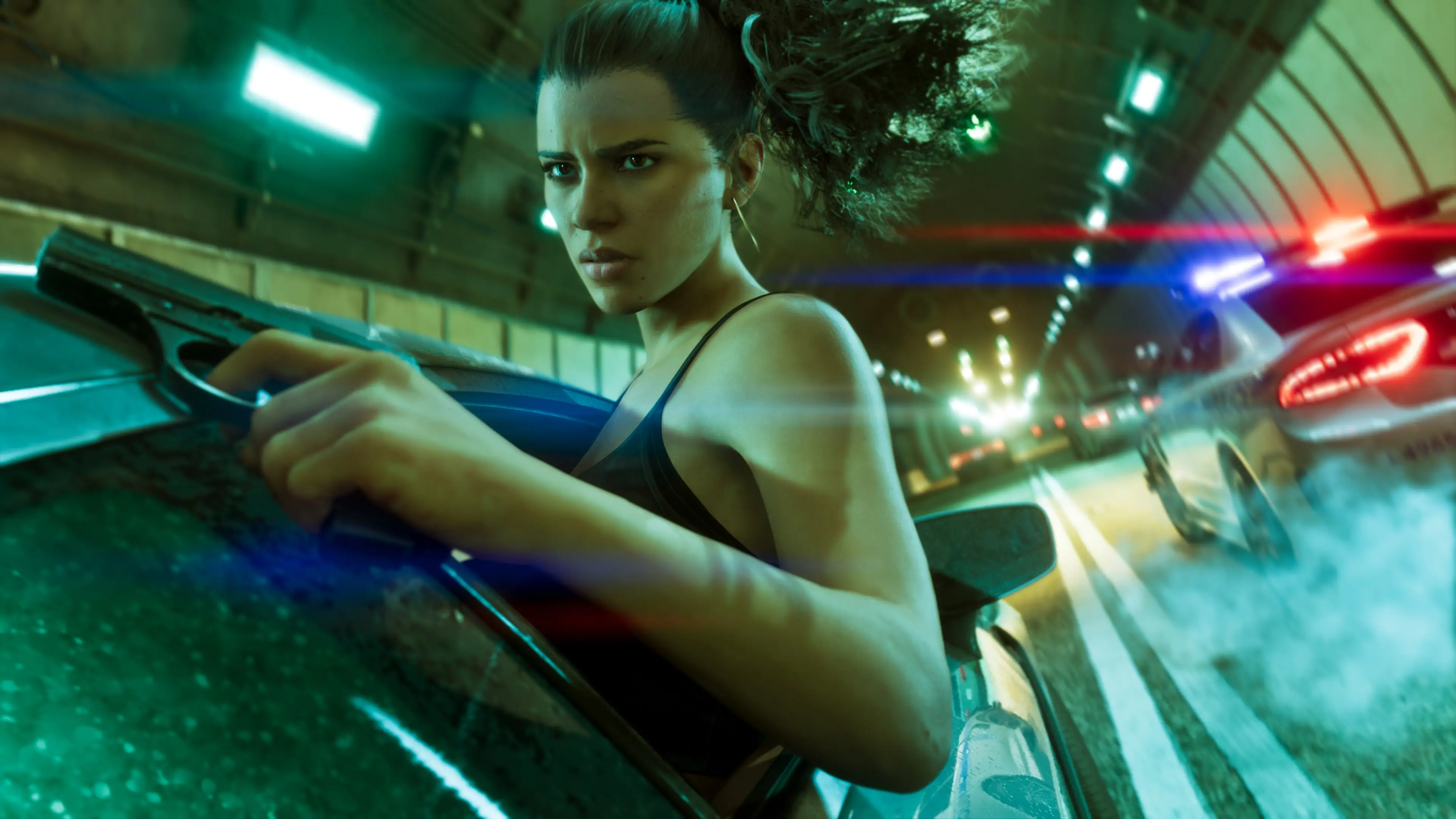
GTA 6 controls for PS5 and Xbox
Type what you want to do and get the button, or pick where you are. Every control the guides document, for the controller you choose.
Where are you?
121 controls- On foot40
On foot
Moving, climbing, fighting, cover, resting, swimming, the phone, Focus, your partner.
- Move
- Look around
- Sprint
- Jump and climb
- Chain a jump after a climb
- Driving23
Driving
Pedals, handbrake, lights and signals, the vehicle menu, ducking, bailing out, auto-drive.
- Accelerate
- Brake and reverse
- Steer
- Handbrake
- Horn
- Aiming and shooting15
Aiming and shooting
Aim and fire, cover, shoulders, scopes, first person, throwables, quick swaps.
- Aim
- Shoot
- Fire a pistol from the hip
- Switch shoulder while aiming
- Zoom a scope in and out
- Phone6
Phone
Taking it out, WAiNK scans, ending calls, Photo Studio, fast travel.
- Open the phone
- Open the WAiNK app
- Scan a vehicle with WAiNK
- Photo Studio shortcut
- End a call quickly
- Weapon wheel and items5
Weapon wheel and items
The loadout wheel, its two tabs, health and adrenaline, what you can carry.
- Open the loadout wheel
- Switch between Weapons and Items
- Select with the stick
- Use health and adrenaline from the wheel
- How many weapons you can carry
- Radio7
Radio
On and off, changing station, podcasts, the radio on foot and after you get out.
- Switch the car radio on or off
- Change station
- Listen to the radio on foot
- Open the radio menu on foot
- Keep the radio playing after you get out
- Menus and map11
Menus and map
Pause, the map and waypoints, skipping cutscenes, restarting missions, control schemes.
- Pause menu
- Open the map
- Set a waypoint
- Add a map marker
- Recentre and change map view
- Boats, bikes, aircraft and more14
Boats, bikes, aircraft and more
Boats and jet skis, bicycles and motorbikes, planes and helicopters, parachutes, fishing.
- Boat autopilot
- Push a beached jet ski or boat
- Tow and launch a boat
- Kick from a motorcycle
- Bicycle bunnyhop
More
- Hidden controls and shortcutsTips
Hidden controls and shortcuts
The inputs the game never spells out, as a short list on the tips page: engine running, flipping a car, resting, Focus.
- Aim assist and control settingsSettings
Aim assist and control settings
Targeting modes, aim assist strength, running without clicking the stick, hold or press, control schemes.
- How to enter a cheatCheats
How to enter a cheat
Every cheat, what unlocks it and its code for your controller, on the cheats page.
- How saving worksPlanner
How saving works
Manual saves, autosave and every point of no return, in the missables planner.
- Where guides disagree4
Where guides disagree
Buttons that guides give differently. Each one shows who said what.
- Not known yet10
Not known yet
Controls no guide documents yet.
- Sources18
Sources
Every guide this page draws on. Buttons are facts; the sentences are in our own words, and each one names its sources. Researched November 22, 2026.
Controls
121 controlsResults
Nothing matches. Try a verb: flip, duck, whistle, honk.
On foot
Move
LSLSPush the left stick to walk or run in any direction; how far you push sets the pace.
Reported1On foot
Sprint
L3LSClick the left stick to run faster on the default scheme. On the Classic scheme the guides put run on Cross or A instead.
Reported1On foot
Jump and climb
ATap Cross or A to jump or to haul yourself over ledges and obstacles. The Classic scheme moves jump to Square or X.
Reported1On foot
Chain a jump after a climb
AOne guide says pressing jump again straight after finishing a climb chains into the next move.
Reported2On foot
Crouch
BTap Circle or B on foot to crouch, which is also how you stay low behind objects. On the Classic scheme crouch moves to the left stick click.
Reported1On foot
Take and leave cover
R1RBTap R1 or RB next to cover to snap into it, and tap it again to step out.
Reported1On foot
Move around a corner in cover
AWhile in cover, tap Cross or A to slide around a corner to the next piece of cover.
Reported1On foot
Interact with doors, items and vehicles
YTriangle or Y is the general interact button for doors, items and getting into vehicles.
Reported1On foot
Talk to or whistle at people
L2LTHolding L2 or LT focuses on a person: it is how you interact with people and how you whistle at an enemy.
Reported1On foot
Melee attack
XTap Square or X to punch or kick. The Classic scheme moves melee onto Circle or B.
Reported1On foot
Lock on in a fistfight
L2LTHold L2 or LT in melee to lock onto an opponent and circle around them.
Reported1On foot
Check a vehicle engine
L1LBGTABase lists a tap of L1 or LB as Check engine for a vehicle you are standing at. No other guide mentions it.
Reported1On foot
Throw a nearby object
R2RTPress or hold R2 or RT to throw an object you are carrying.
Reported1On foot
Swim faster
L3LSClick or hold the left stick while swimming to speed up. The Classic scheme puts it on Cross or A.
Reported1On foot
Dive under the water
R1RBAHold R1 or RB while swimming to dive deeper. Cross or A brings you back to the surface.
Reported1Driving
Brake and reverse
L2LTHold L2 or LT to brake, and keep holding once stopped to reverse.
Reported1Driving
Shoot from a vehicle
R1RBIn cars, bikes, aircraft and boats, R1 or RB fires, rather than R2 or RT. A tap of L1 or LB draws a sidearm.
Reported1Driving
Pick a vehicle weapon
L1LBIn armed vehicles and aircraft, hold L1 or LB to choose the vehicle weapon.
Reported1Driving
Get out of a vehicle
YTap Triangle or Y to leave the vehicle. Hold it to brake to a stop first and then get out.
Reported1Driving
Talk down a one-star wanted level
L2LTPut your weapon away and hold L2 or LT on a nearby officer to try to defuse a one-star wanted level.
Reported6Driving
Focus or instinct mode in a car
L3LSA forum poster says clicking both sticks while driving slows time and shows slipstream trails behind other vehicles. No other source mentions it.
Reported8Driving
Emergency vehicle siren
LSL3LSLSIn an emergency vehicle, one guide says pushing the left stick up turns on the siren, and clicking it while pushing up cycles the siren tones.
Reported3Aiming and shooting
Aim
L2LTHold L2 or LT to aim. On foot the same button focuses on people to interact with.
Reported1Aiming and shooting
Shoot
R2RTPress R2 or RT to fire on foot or while swimming. In vehicles it is R1 or RB.
Reported1Aiming and shooting
Throw a grenade by hand
L2R2LTRTHold L2 or LT to aim a grenade, then press R2 or RT to throw. Holding R2 or RT pulls the pin and primes it.
Reported1Aiming and shooting
Show the throw path
R3RSClick the right stick while aiming a throwable to show or zoom its path.
Reported1Aiming and shooting
Aim from cover
R1L2RBLTTake cover with R1 or RB, then hold L2 or LT to aim from behind it.
Reported1Aiming and shooting
Melee while holding a gun
XSquare or X is the melee button in the aiming set too, so it works while you hold a gun.
Reported1Aiming and shooting
Lock on and aim assist
L2LTHolding the aim button locks onto a target in melee. How much aim assist you get is a settings matter, and no guide read describes it.
Reported1Phone
Photo Studio shortcut
OptionsMenuXPause the game and either scroll to Photo Studio or press Square or X on the pause screen to jump to it. No guide read lists the controls inside it.
Reported2Weapon wheel and items
Switch between Weapons and Items
L1R1LBRBWith the wheel open, tap R1 or RB to flip between the Weapons and Items tabs.
Reported9Weapon wheel and items
Select with the stick
L1RSLBRSPoint the right stick at a slot with the wheel open, then release the wheel button to equip it.
Reported9Weapon wheel and items
Use health and adrenaline from the wheel
L1LBXYOn the wheel, Square or X uses the health item and Triangle or Y the adrenaline item. A zero count does nothing. Beebom gives only the Square or Triangle pair for consumables.
Reported9Weapon wheel and items
How many weapons you can carry
You can carry two handguns, two long guns, one melee weapon, explosives and throwables. The trunk and the Ammu-Nation locker store the rest.
Reported9Radio
Stop the radio starting by itself
Settings, then Audio, then Vehicle Radio has On and Off options for whether the radio starts when you get in.
Reported12Radio
On Demand podcasts
RSRSOne guide says to move to On Demand with the right stick and confirm. L1 and R1 (LB and RB) switch programs and Square or X picks episodes.
Reported13Menus and map
Add a map marker
The guides give no Xbox button for this.
On the PS5 map, Square adds a marker. The Xbox button is not given by the guide read.
Reported14Menus and map
Recentre and change map view
L3R3The guides give no Xbox button for this.
On the PS5 map, click L3 to recentre on your character and R3 to switch to the 2D view. Xbox equivalents are not listed.
Reported14Menus and map
Switch map tabs
L1R1The guides give no Xbox button for this.
On the PS5 map screen, L1 and R1 move between the Map, Brief and Progress tabs. The Xbox buttons are not listed.
Reported14Menus and map
Close the map
The guides give no Xbox button for this.
Circle exits the PS5 map; the Xbox button is not given.
Reported14Menus and map
Skip a cutscene
AHold Cross or A until the cutscene skips; a tap does not. There is no way to rewatch one except an older manual save.
Reported16Menus and map
Restart or quit a mission
OptionsMenuPause, move to the mission panel and choose Restart Mission or Quit Mission. On the failed screen, Triangle or Y restarts it.
Reported17Menus and map
Replay a finished mission
Beebom says GTA 6 has no replay of finished story missions; load an older manual save instead.
Reported16Menus and map
Change the control scheme
Settings offer Default, Classic and Left-Handed schemes. Classic mainly moves jump, run, crouch and melee onto different buttons, and Left-Handed swaps shoulders and triggers with the sticks.
Reported1Boats, bikes, aircraft and more
Tow and launch a boat
Back a pickup or SUV onto a boat trailer to hitch it, back down a ramp to launch, and drive onto the trailer to reload; no extra button.
Reported3Boats, bikes, aircraft and more
Bicycle pedal and sprint
R2RTAR2 or RT pedals the bicycle and Cross or A sprints. L2 or LT brakes and reverses.
Reported1Boats, bikes, aircraft and more
Fly a plane
R2L2RTLTThrottle goes up with R2 or RT and down with L2 or LT; the left stick pitches and rolls, and Square and Circle (X and B) yaw.
Reported1Boats, bikes, aircraft and more
Fly a helicopter
R2L2RTLTR2 or RT gains altitude, L2 or LT descends, and Square and Circle (X and B) turn it left or right.
Reported1Boats, bikes, aircraft and more
Equip a parachute
A parachute costs $250 at Ammu-Nation, sits in the same wheel slot as armor, and you get a backup one when you bail from a plane or helicopter.
Reported3Boats, bikes, aircraft and more
Fishing controls
L2R2RSLTRTRSHold the aim trigger to grip the rod, hold and release fire to cast, press fire again to hook, steer the fish with the left stick and turn the right stick to reel. Circle or B resets a cast or releases a catch, Square or X cuts the line. The guide lists Xbox buttons; the PlayStation buttons here are the same positions.
Reported18
Controls
40On foot
On foot
Move
LSLSPush the left stick to walk or run in any direction; how far you push sets the pace.
Reported1On foot
Sprint
L3LSClick the left stick to run faster on the default scheme. On the Classic scheme the guides put run on Cross or A instead.
Reported1On foot
Jump and climb
ATap Cross or A to jump or to haul yourself over ledges and obstacles. The Classic scheme moves jump to Square or X.
Reported1On foot
Chain a jump after a climb
AOne guide says pressing jump again straight after finishing a climb chains into the next move.
Reported2On foot
Crouch
BTap Circle or B on foot to crouch, which is also how you stay low behind objects. On the Classic scheme crouch moves to the left stick click.
Reported1On foot
Take and leave cover
R1RBTap R1 or RB next to cover to snap into it, and tap it again to step out.
Reported1On foot
Move around a corner in cover
AWhile in cover, tap Cross or A to slide around a corner to the next piece of cover.
Reported1On foot
Interact with doors, items and vehicles
YTriangle or Y is the general interact button for doors, items and getting into vehicles.
Reported1On foot
Talk to or whistle at people
L2LTHolding L2 or LT focuses on a person: it is how you interact with people and how you whistle at an enemy.
Reported1On foot
Melee attack
XTap Square or X to punch or kick. The Classic scheme moves melee onto Circle or B.
Reported1On foot
Lock on in a fistfight
L2LTHold L2 or LT in melee to lock onto an opponent and circle around them.
Reported1On foot
Check a vehicle engine
L1LBGTABase lists a tap of L1 or LB as Check engine for a vehicle you are standing at. No other guide mentions it.
Reported1On foot
Throw a nearby object
R2RTPress or hold R2 or RT to throw an object you are carrying.
Reported1On foot
Swim faster
L3LSClick or hold the left stick while swimming to speed up. The Classic scheme puts it on Cross or A.
Reported1On foot
Dive under the water
R1RBAHold R1 or RB while swimming to dive deeper. Cross or A brings you back to the surface.
Reported1
Controls
23Driving
Driving
Brake and reverse
L2LTHold L2 or LT to brake, and keep holding once stopped to reverse.
Reported1Driving
Shoot from a vehicle
R1RBIn cars, bikes, aircraft and boats, R1 or RB fires, rather than R2 or RT. A tap of L1 or LB draws a sidearm.
Reported1Driving
Pick a vehicle weapon
L1LBIn armed vehicles and aircraft, hold L1 or LB to choose the vehicle weapon.
Reported1Driving
Get out of a vehicle
YTap Triangle or Y to leave the vehicle. Hold it to brake to a stop first and then get out.
Reported1Driving
Talk down a one-star wanted level
L2LTPut your weapon away and hold L2 or LT on a nearby officer to try to defuse a one-star wanted level.
Reported6Driving
Focus or instinct mode in a car
L3LSA forum poster says clicking both sticks while driving slows time and shows slipstream trails behind other vehicles. No other source mentions it.
Reported8Driving
Emergency vehicle siren
LSL3LSLSIn an emergency vehicle, one guide says pushing the left stick up turns on the siren, and clicking it while pushing up cycles the siren tones.
Reported3
Controls
15Aiming and shooting
Aiming and shooting
Aim
L2LTHold L2 or LT to aim. On foot the same button focuses on people to interact with.
Reported1Aiming and shooting
Shoot
R2RTPress R2 or RT to fire on foot or while swimming. In vehicles it is R1 or RB.
Reported1Aiming and shooting
Throw a grenade by hand
L2R2LTRTHold L2 or LT to aim a grenade, then press R2 or RT to throw. Holding R2 or RT pulls the pin and primes it.
Reported1Aiming and shooting
Show the throw path
R3RSClick the right stick while aiming a throwable to show or zoom its path.
Reported1Aiming and shooting
Aim from cover
R1L2RBLTTake cover with R1 or RB, then hold L2 or LT to aim from behind it.
Reported1Aiming and shooting
Melee while holding a gun
XSquare or X is the melee button in the aiming set too, so it works while you hold a gun.
Reported1Aiming and shooting
Lock on and aim assist
L2LTHolding the aim button locks onto a target in melee. How much aim assist you get is a settings matter, and no guide read describes it.
Reported1
Controls
6Phone
Phone
Photo Studio shortcut
OptionsMenuXPause the game and either scroll to Photo Studio or press Square or X on the pause screen to jump to it. No guide read lists the controls inside it.
Reported2
Controls
5Weapon wheel and items
Weapon wheel and items
Switch between Weapons and Items
L1R1LBRBWith the wheel open, tap R1 or RB to flip between the Weapons and Items tabs.
Reported9Weapon wheel and items
Select with the stick
L1RSLBRSPoint the right stick at a slot with the wheel open, then release the wheel button to equip it.
Reported9Weapon wheel and items
Use health and adrenaline from the wheel
L1LBXYOn the wheel, Square or X uses the health item and Triangle or Y the adrenaline item. A zero count does nothing. Beebom gives only the Square or Triangle pair for consumables.
Reported9Weapon wheel and items
How many weapons you can carry
You can carry two handguns, two long guns, one melee weapon, explosives and throwables. The trunk and the Ammu-Nation locker store the rest.
Reported9
Controls
7Radio
Radio
Stop the radio starting by itself
Settings, then Audio, then Vehicle Radio has On and Off options for whether the radio starts when you get in.
Reported12Radio
On Demand podcasts
RSRSOne guide says to move to On Demand with the right stick and confirm. L1 and R1 (LB and RB) switch programs and Square or X picks episodes.
Reported13
Controls
14Boats, bikes, aircraft and more
Boats, bikes, aircraft and more
Tow and launch a boat
Back a pickup or SUV onto a boat trailer to hitch it, back down a ramp to launch, and drive onto the trailer to reload; no extra button.
Reported3Boats, bikes, aircraft and more
Bicycle pedal and sprint
R2RTAR2 or RT pedals the bicycle and Cross or A sprints. L2 or LT brakes and reverses.
Reported1Boats, bikes, aircraft and more
Fly a plane
R2L2RTLTThrottle goes up with R2 or RT and down with L2 or LT; the left stick pitches and rolls, and Square and Circle (X and B) yaw.
Reported1Boats, bikes, aircraft and more
Fly a helicopter
R2L2RTLTR2 or RT gains altitude, L2 or LT descends, and Square and Circle (X and B) turn it left or right.
Reported1Boats, bikes, aircraft and more
Equip a parachute
A parachute costs $250 at Ammu-Nation, sits in the same wheel slot as armor, and you get a backup one when you bail from a plane or helicopter.
Reported3Boats, bikes, aircraft and more
Fishing controls
L2R2RSLTRTRSHold the aim trigger to grip the rod, hold and release fire to cast, press fire again to hook, steer the fish with the left stick and turn the right stick to reel. Circle or B resets a cast or releases a catch, Square or X cuts the line. The guide lists Xbox buttons; the PlayStation buttons here are the same positions.
Reported18
More
Where guides disagree
More
Not known yet
No source gives a reload button; the default scheme tables list none, so reloading may be automatic.
No source gives buttons for closing the phone, scrolling its apps, zooming its screen or taking a photo in the Camera app.
No source documents Vice City Real Estate, Randy's wish list or a quick save on the phone.
No source gives the map buttons for removing a waypoint, zooming, panning or filtering icons, or the Xbox buttons for adding a marker, recentring, switching tabs or closing the map.
No source documents how to cycle within a weapon class, change ammo type, drop a weapon or edit attachments from the wheel.
No source confirms how to change radio stations on foot, or any favourite-station feature.
No source gives the Photo Studio controls once inside it.
No source gives a motorcycle helmet or wheelie button, binoculars, animal-study, hunting or dancing controls, or a Rockstar overlay or quit-game control.
No source documents a speed limiter or cruise control, and the game is not on PC, so no keyboard controls exist.
The Classic and Left-Handed schemes are only partly documented; the tables here are the Default scheme.
More
Sources
Each opens in a new tab. GTABase's layout comes from the game's own control scheme screens.
- GTA 6 Controls Guide: Full PS5 & Xbox Button Layoutgtabase.com
Source 1
GTA 6 Controls Guide: Full PS5 & Xbox Button Layout
gtabase.com · 2026-11-22
- GTA 6: All Hidden Controls and Featureskeengamer.com
Source 2
GTA 6: All Hidden Controls and Features
keengamer.com · 2026-11-21
- 30+ Hidden GTA 6 Controls and Secret Mechanics You Probably Missedrockstarintel.com
Source 3
30+ Hidden GTA 6 Controls and Secret Mechanics You Probably Missed
rockstarintel.com · 2026-11-21
- Two cool hidden features GTA 6 doesn't explain: flipping and sittingkotaku.com
Source 4
Two cool hidden features GTA 6 doesn't explain: flipping and sitting
kotaku.com · 2026-11-19
- GTA 6 Guide: How to Use the Phonegames.gg
Source 5
GTA 6 Guide: How to Use the Phone
games.gg · 2026-11-21
- Grand Theft Auto 6 driving guide: controls and handlinggames.gg
Source 6
Grand Theft Auto 6 driving guide: controls and handling
games.gg · 2026-11-19
- How to unlock Focus mode in GTA 6shacknews.com
Source 7
How to unlock Focus mode in GTA 6
shacknews.com · 2026-11-18
- GTA VI Tips and Tricks threadresetera.com
Source 8
GTA VI Tips and Tricks thread
resetera.com
- GTA 6 Weapon Wheel and Inventory System Explainedbeebom.com
Source 9
GTA 6 Weapon Wheel and Inventory System Explained
beebom.com · 2026-11-20
- 13 beginner tips for GTA 6 I wish I knew from the startinvenglobal.com
Source 10
13 beginner tips for GTA 6 I wish I knew from the start
invenglobal.com · 2026-11-18
- GTA 6: 6 gameplay tricks that can make your time in Leonida easierdigit.in
Source 11
GTA 6: 6 gameplay tricks that can make your time in Leonida easier
digit.in · 2026-11-19
- How to Turn On the Radio in GTA 6 and Change Stationsbeebom.com
Source 12
How to Turn On the Radio in GTA 6 and Change Stations
beebom.com · 2026-11-19
- GTA 6 Guide: How to Turn on the Radio and Change Stationsgames.gg
Source 13
GTA 6 Guide: How to Turn on the Radio and Change Stations
games.gg · 2026-11-19
- How to Open the Map in GTA 6 and Set a Destination or Markerallthings.how
Source 14
How to Open the Map in GTA 6 and Set a Destination or Marker
allthings.how · 2026-11-19
- How to Set and Track Waypoints in GTA 6beebom.com
Source 15
How to Set and Track Waypoints in GTA 6
beebom.com · 2026-11-19
- How to Skip Cutscenes in GTA 6beebom.com
Source 16
How to Skip Cutscenes in GTA 6
beebom.com · 2026-11-19
- How to Cancel or Restart a Mission in GTA 6beebom.com
Source 17
How to Cancel or Restart a Mission in GTA 6
beebom.com · 2026-11-19
- Grand Theft Auto 6 fishing guidegames.gg
Source 18
Grand Theft Auto 6 fishing guide
games.gg · 2026-11-21