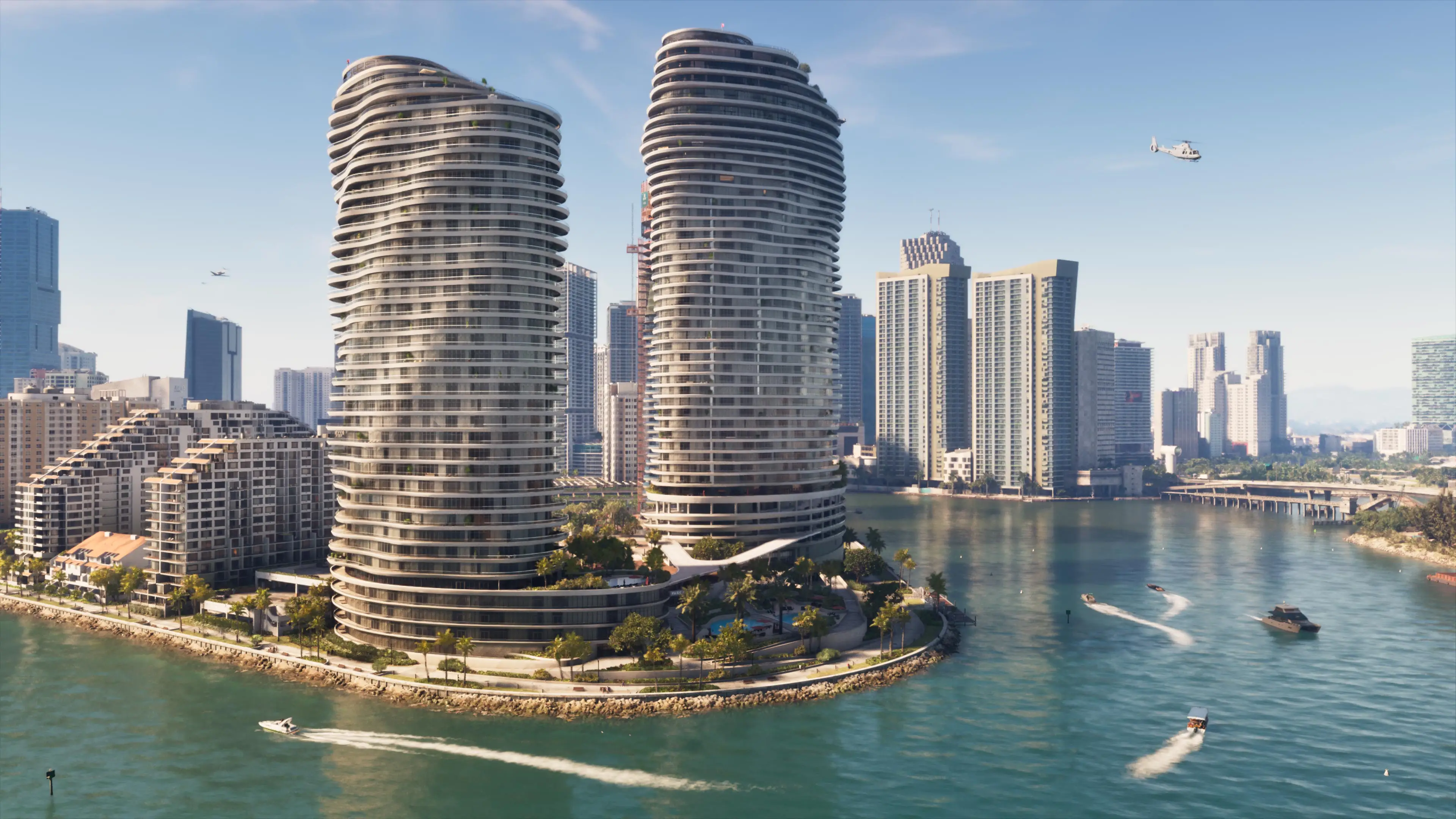
GTA 6 60 fps, performance mode and best settings
No 60 fps mode and no performance toggle: every console targets 30 fps. What each one renders, the settings worth changing first, and the launch bugs. Pick a list, then a question.
Settings and performance
52 answers- Graphics modes per console8
Graphics modes per console
Is there a 60 fps or performance mode, and what each console renders.
- Does GTA 6 run at 60 fps?
- Is there a performance mode?
- PS5: what modes are there?
- PS5 Pro: what does it add?
- PS5 Pro: 60 or 40 fps?
- Frame rate, resolution and size8
Frame rate, resolution and size
What Digital Foundry measured on each console, the install size and the pre-launch patches.
- PS5 frame rate in practice
- PS5 Pro frame rate in practice
- Series X frame rate in practice
- Series S frame rate in practice
- Which console runs GTA 6 best?
- HDR and display settings10
HDR and display settings
Fix washed-out HDR, the three sliders, motion blur, camera shake and text size.
- How do I fix HDR looking washed out?
- The three HDR sliders
- Where is console HDR set up?
- TV settings that matter
- Turn off motion blur
- Audio settings6
Audio settings
Dialogue volume, ringing after explosions, mono, 3D audio and DualSense feedback.
- Dialogue too quiet
- Reduce explosion ringing
- Mono audio for one earbud
- Keep licensed music off streams
- 3D audio on PS5 and Xbox
- Control and gameplay settings6
Control and gameplay settings
Aim assist, targeting modes, running without clicking the stick, control schemes.
- Targeting: lock-on, partial, free aim
- Aim assist strength
- Stop clicking the stick to sprint
- Control schemes
- Hold versus press for Interact and Aim
- Accessibility6
Accessibility
Subtitles, colourblind options, screen narration, tap and hold assist, easier combat.
- Subtitles and sizes
- Colourblind options
- Text-to-speech (Screen Narration)
- Tap Assist and Hold Assist
- Easier combat and vehicle damage
- Bugs, patches and fixes8
Bugs, patches and fixes
Known launch bugs, what to try for crashes, and whether Rockstar has posted patch notes.
- Official patch notes?
- Series X crashes
- What to try for crashes
- Pop-in and missing textures
- Falling into the void using the phone
More
- Controls finderOpen
Controls finder
Type what you want to do and get the PlayStation and Xbox buttons, for every context in the game.
- Tips and hidden controlsOpen
Tips and hidden controls
Shortcuts the game never spells out, straight answers to "is there…?", map colours, food and Focus, shops and outfits.
- Where guides disagree1
Where guides disagree
Answers that guides give differently. Each one shows who said what.
- Not known yet9
Not known yet
Questions no guide answers yet, and figures we could not confirm.
- Sources15
Sources
Every guide and analysis this page draws on. Facts are in our own words, and each one names its sources. Researched November 22, 2026.
Settings and performance
8Graphics modes per console
Graphics modes per console
PS5 Pro: what does it add?
PS5 Pro
The Pro also targets 30 fps at about 1440p internally, but reconstructs the image with PSSR, which Digital Foundry says passes for native 4K. It is also the only console reported to have ray-traced shadows, on top of ray-traced lighting and reflections.
Cross-checked34Graphics modes per console
Xbox Series S: resolution and target
Xbox Series S
The Series S targets 30 fps and renders at about 720p internally, with a 1080p output. Lighting is less precise, reflections softer and shadows messier than on Series X, though hair strands and ray-traced reflections remain.
Cross-checked567Graphics modes per console
Does GTA 6 support VRR / 120Hz?
Xbox Series X|S can output at 120Hz with VRR, which Digital Foundry found makes Series X slightly smoother than PS5 at 30 fps. It does not unlock 120 fps. Reports say PS5's system VRR only engages above 48 fps, so it does not help a 30 fps game.
Cross-checked26
Settings and performance
8Frame rate, resolution and size
Frame rate, resolution and size
Series S frame rate in practice
Xbox Series S
Often in the mid-20s in combat and mid-to-upper 20s while travelling, reaching about 20 fps in the heaviest fights. Digital Foundry said it is the hardest console to recommend and advised other consoles for now.
Cross-checked67Frame rate, resolution and size
How big is the install?
Rockstar's pre-load notice put the download at up to 212 GB, depending on the device, as GamesRadar reported before launch. No page we could open gave a separate Xbox size or the size after the launch patches.
Reported8Frame rate, resolution and size
Day-one and pre-launch patches
Beebom lists two updates before launch: 01.002.000 on 13 November (about 1.07 GB on both platforms) and 01.002.001 on 16 November (602.5 MB on PS5, 1.59 GB on Xbox). Rockstar published no patch notes for either.
Reported9Frame rate, resolution and size
Is a system update needed?
PS5
Beebom says PS5 firmware 26.07-14.23.00, released 17 November, is mandatory to play on console. It names no Xbox system requirement.
Reported9
Settings and performance
10HDR and display settings
HDR and display settings
How do I fix HDR looking washed out?
Calibrate HDR at the console level first, then in the game's own HDR screen. If blacks look grey, lower Black Levels a little; if the picture is too bright, lower Paper White before Max Brightness; also check your TV's HDR game mode.
Cross-checked1011HDR and display settings
The three HDR sliders
Max Brightness sets peak highlights, Black Levels sets how dark shadows go, and Paper White sets ordinary lit areas. Gamerblurb's starting values are 600, 50 and 50, which are one site's suggestion, not a standard.
Reported10HDR and display settings
HUD cut off by the TV
Safe Zone in Display pulls the HUD inward when TV overscan hides the minimap or money counter.
Reported11
Settings and performance
6Audio settings
Audio settings
Keep licensed music off streams
Mute Licensed Music keeps licensed tracks out of streams and recordings.
Reported11Audio settings
3D audio on PS5 and Xbox
Headphone 3D audio is enabled at console level: on PS5 under Sound, 3D Audio (Headphones); on Xbox under Volume and audio output. The game itself has no switch KeenGamer mentions.
Reported11
Settings and performance
6Control and gameplay settings
Control and gameplay settings
Control schemes
Settings, Control Scheme lets you preview Default, Classic or Left-Handed layouts. The guide we read does not describe full per-button remapping.
Reported12Control and gameplay settings
Vibration and haptics strength
A Vibration and Haptics Strength control sits in the Controller options, with extra adaptive-trigger options on PS5.
Reported12
Settings and performance
6Accessibility
Accessibility
Tap Assist and Hold Assist
Tap Assist counts one press as 2, 3 or 4, or replaces repeated presses with a hold. Hold Assist shortens required hold times by 2, 3 or 4 times, and Hold Delay prevents accidental holds.
Reported12Accessibility
Motion sickness options
Camera Shake, Camera Bob, Weapon Sway and Motion Blur can be reduced, a Persistent Center Dot gives a fixed reference point, and the flashbang can be set to a dark flash.
Reported12
Settings and performance
8Bugs, patches and fixes
Bugs, patches and fixes
Official patch notes?
Beebom's tracker lists two pre-launch updates and says Rockstar published no notes for either. We found no Rockstar patch notes after launch.
Reported9Bugs, patches and fixes
Series X crashes
Xbox Series X
Players on Xbox Series X report crashes every 5 to 20 minutes after a roughly 30 second freeze, and on version 1.002.001 some report vanishing water textures and flicker. Rockstar has given no cause, fix or known-issue notice as of 21 November.
Reported14Bugs, patches and fixes
What to try for crashes
Install pending updates, fully power-cycle the console for about two minutes, run the game from internal SSD or a compatible expansion card, and keep several manual saves. Players in the reports said reinstalling and account switching did not help.
Reported14Bugs, patches and fixes
Pop-in and missing textures
Reviews and players report clothing and vehicle pop-in, and one player saw missing textures in the opening before the prologue. No fix is listed.
Reported15Bugs, patches and fixes
Falling into the void using the phone
One report says using the phone while wedged between a car and a fence dropped the character out of the map. The suggested workaround is to restart the game, and to make a manual save before trying it.
Reported15Bugs, patches and fixes
Falling through the map in the prologue
A player reports Lucia falling through the map after being tased in the scripted scooter theft. No workaround is given.
Reported15Bugs, patches and fixes
Car launched by a tree or bush
Hitting a tree or bush is reported to send a car flying and wreck it. The only workaround listed is paying repair fees.
Reported15Bugs, patches and fixes
Minor launch glitches
Reviewers noted pedestrians walking into walls, a coffee cup floating after switching characters, and vehicle clipping. They are described as minor with no fix listed.
Reported15
More
Where guides disagree
More
Not known yet
No Rockstar patch notes or known-issues list was found for any GTA 6 title update, and no post-launch update dates after 16 November.
Digital Foundry's own pages could not be opened; figures come from outlets reporting its tests, so exact numbers may differ slightly.
Which upscaler the Series S and Series X use is not settled in the pages we could read.
No page we could open gave a separate Xbox install size, or the install size after the launch patch.
No source states the field of view, film grain, chromatic aberration or depth of field options exist; none was found.
No source describes gyro aiming, stick sensitivity or dead zone options, or full per-button remapping.
No loading-time measurements were found.
Several settings guides disagree on menu paths; the exact menu tab for Kill Camera and Crash Camera is not given.
PS5 crash or save-corruption reports were not found; the crash reports found were Xbox Series X only.
More
Sources
Each opens in a new tab. Digital Foundry's figures reach us through the outlets that reported its tests.
- PlayStation 5 Pro Can't Run Grand Theft Auto VI At 60 FPS, Yet Delivers The Most Stable Experience of All Consoleswccftech.com
Source 1
PlayStation 5 Pro Can't Run Grand Theft Auto VI At 60 FPS, Yet Delivers The Most Stable Experience of All Consoles
wccftech.com · 2026-11-18
- No, GTA 6 does not run at 120 FPS on Xboxgtaboom.com
Source 2
No, GTA 6 does not run at 120 FPS on Xbox
gtaboom.com · 2026-11-19
- GTA 6 Performance on PS5, PS5 Pro, Series X and Series Sguides-factory.com
Source 3
GTA 6 Performance on PS5, PS5 Pro, Series X and Series S
guides-factory.com
- GTA VI dips as low as 23fps on base PS5 in heavy action, Digital Foundry findsaltchar.com
Source 4
GTA VI dips as low as 23fps on base PS5 in heavy action, Digital Foundry finds
altchar.com · 2026-11-18
- GTA 6 drops to 720p and below 30 FPS on one console, gamers advised to play elsewheretweaktown.com
Source 5
GTA 6 drops to 720p and below 30 FPS on one console, gamers advised to play elsewhere
tweaktown.com · 2026-11-18
- Three big takeaways from Digital Foundry's GTA 6 analysis for Xbox Series X|Spurexbox.com
Source 6
Three big takeaways from Digital Foundry's GTA 6 analysis for Xbox Series X|S
purexbox.com
- GTA 6 Xbox Series S performance analysis admires the effort but says 'significant frame drops' are a problemvideogameschronicle.com
Source 7
GTA 6 Xbox Series S performance analysis admires the effort but says 'significant frame drops' are a problem
videogameschronicle.com · 2026-11-18
- Rockstar confirms GTA 6 is 212GB, pre-loading opens earlier than previously announced for digital ordersgamesradar.com
Source 8
Rockstar confirms GTA 6 is 212GB, pre-loading opens earlier than previously announced for digital orders
gamesradar.com
- GTA 6 Patch Notes and Updates Trackerbeebom.com
Source 9
GTA 6 Patch Notes and Updates Tracker
beebom.com · 2026-11-18
- GTA 6 Best HDR Settings for PS5 and Xboxgamerblurb.com
Source 10
GTA 6 Best HDR Settings for PS5 and Xbox
gamerblurb.com · 2026-11-19
- Best GTA 6 settings to change first: motion blur, aim and PS5 Prokeengamer.com
Source 11
Best GTA 6 settings to change first: motion blur, aim and PS5 Pro
keengamer.com · 2026-11-18
- Grand Theft Auto 6 accessibility settings guidegames.gg
Source 12
Grand Theft Auto 6 accessibility settings guide
games.gg · 2026-11-19
- How to Turn On and Off Screen Narration in GTA 6beebom.com
Source 13
How to Turn On and Off Screen Narration in GTA 6
beebom.com · 2026-11-19
- GTA 6 crashing on Xbox Series X: player reports and troubleshooting stepswindowsforum.com
Source 14
GTA 6 crashing on Xbox Series X: player reports and troubleshooting steps
windowsforum.com · 2026-11-19
- GTA 6 Bugs Tracker: All Bugs We've Spotted So Farbeebom.com
Source 15
GTA 6 Bugs Tracker: All Bugs We've Spotted So Far
beebom.com · 2026-11-19